
StackRoom Asset Tracking Platform

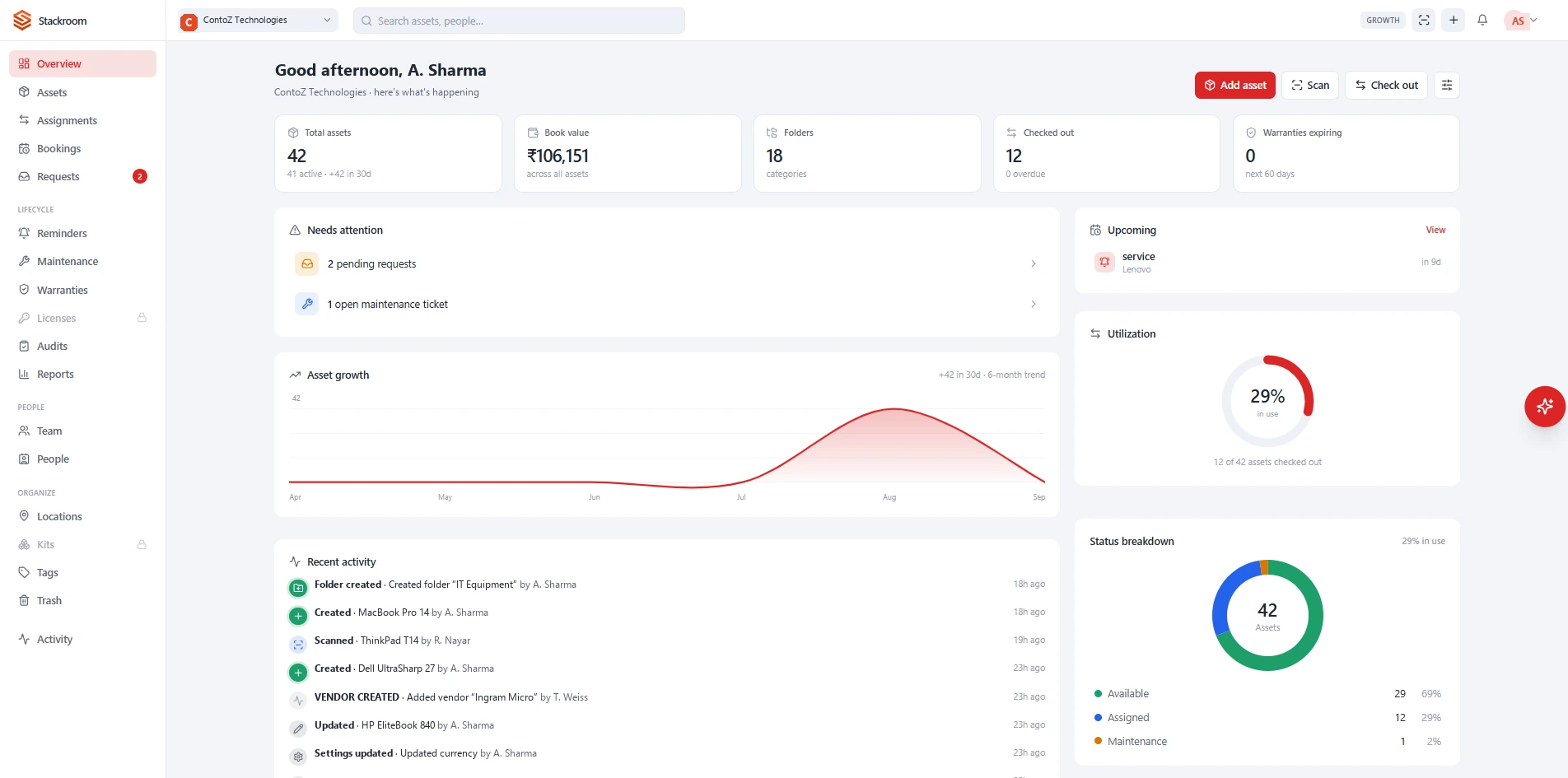
StackRoom is VOCSO’s own product: asset-tracking software for teams that hand equipment to people.
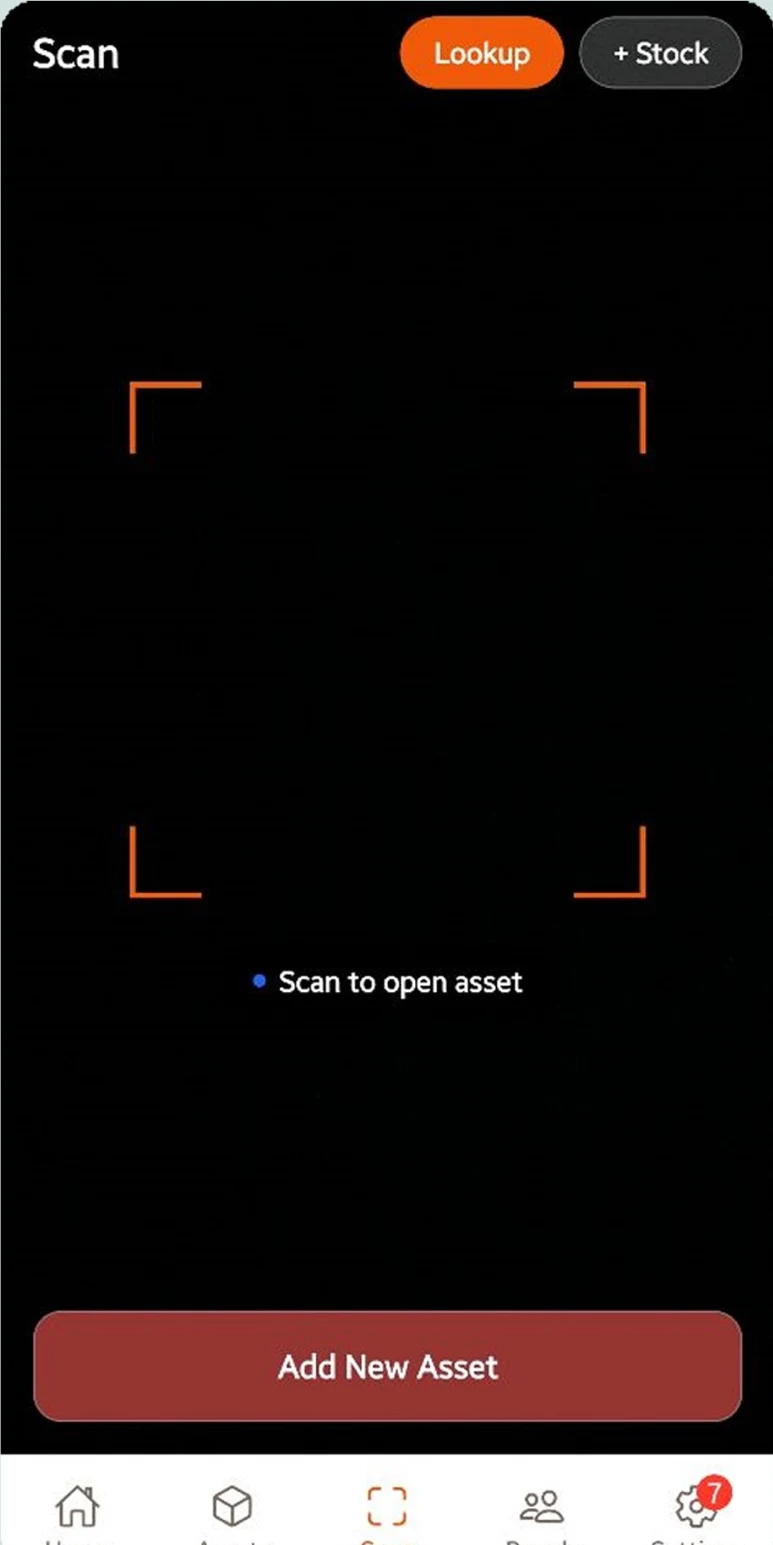
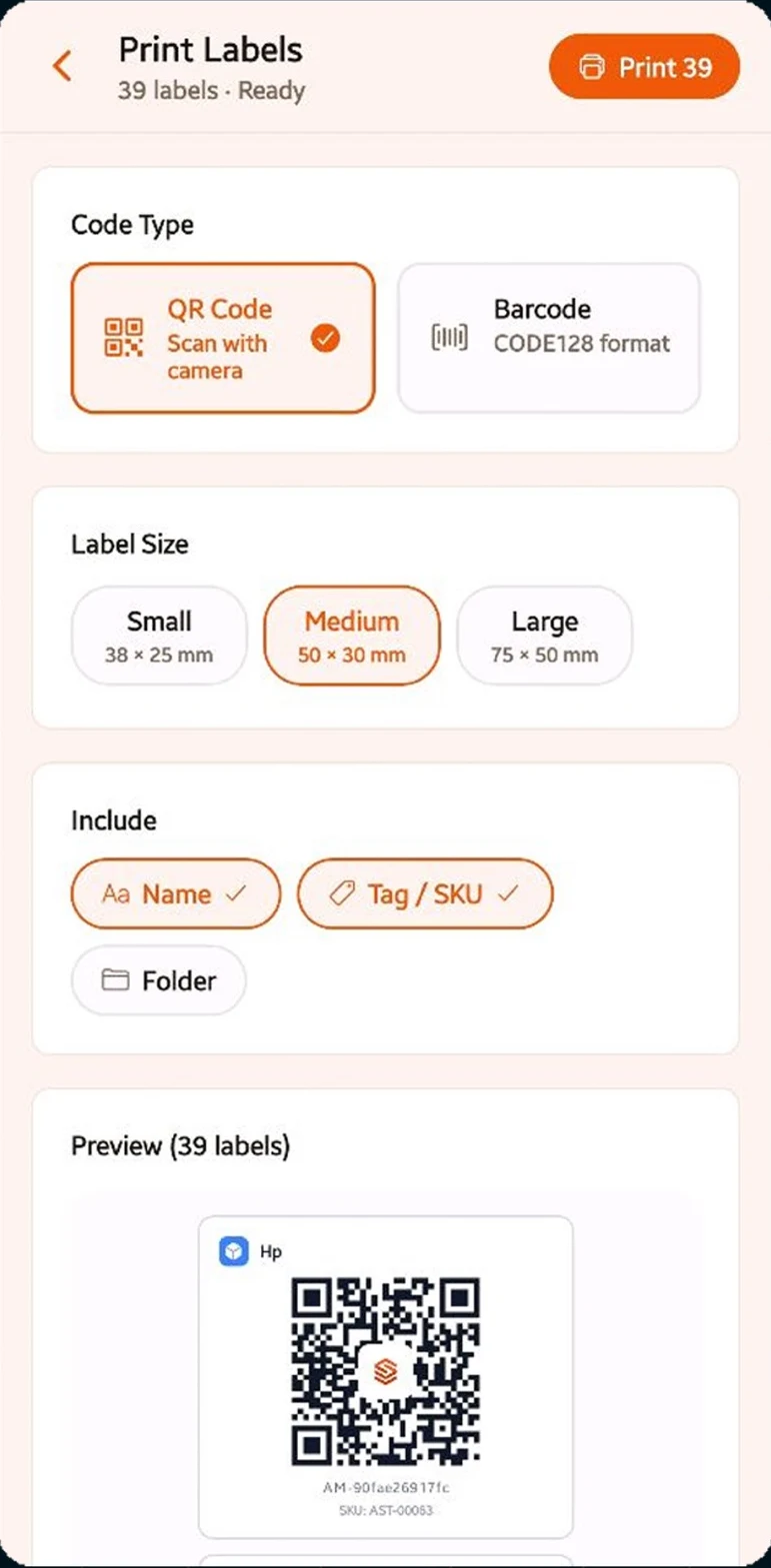
Print a QR or barcode label, stick it on, and every scan for the rest of that asset’s life becomes a check-out, a check-in or an audit count.
It exists because the alternative is a shared spreadsheet and a sign-out sheet on a clipboard — both of which stop being true the moment a laptop moves. StackRoom replaces them with a register that records who took what, when it is due back, and what condition it came back in, with a signature against each handover.
The product ships as three surfaces on one register: a web application for administrators and finance, and native iOS and Android apps for the people doing the scanning. Daily work happens on the phone, because nobody assigning a laptop is sitting at a desk.
Project summary
 TypeScript
 React
 Next.js
 Node.js
 React Native
 PostgreSQL
 Python
 FastAPI
 Tailwind CSS
 Redux
 React Query
 OpenAI
 AWS
 iOS
 Android
 App Store
 Google Play
 SaaS
 Responsive
01On screen
One handover, start to finish
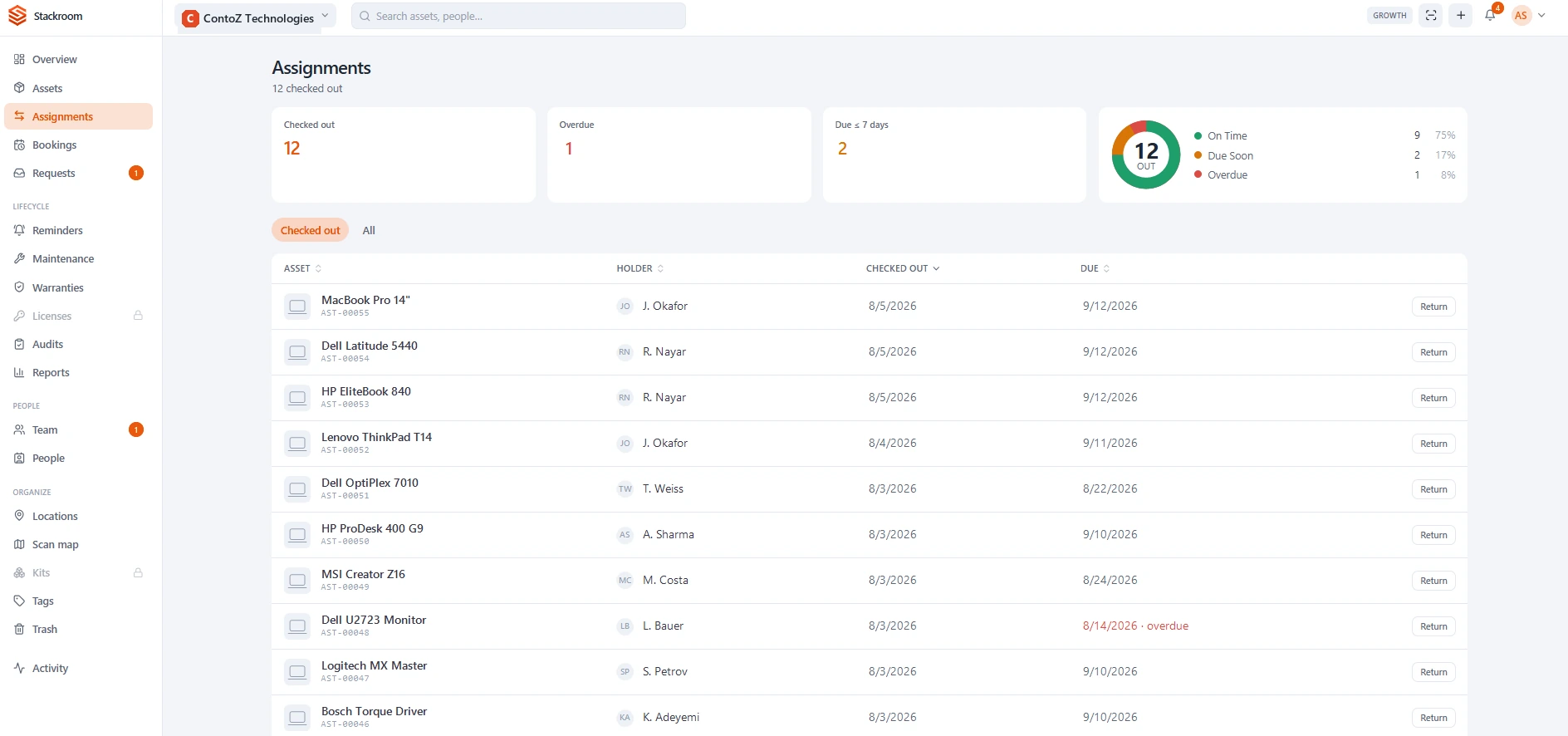
A laptop leaving the shelf and coming back again — the label scan, the name it is signed out to, the due date, and the return that closes the record. Recorded from the product, not staged.
02The challenge
What stood in the way
Asset tracking fails for a human reason rather than a technical one: the record is always a second job. Anything that adds a step to handing someone a laptop gets skipped, and a register with gaps in it is worse than no register at all, because people still believe it.
So the constraint was time, not features. The handover had to be quicker than writing a row on a sign-out sheet, or it would not be used — and it still had to leave behind evidence strong enough for finance to sign against at audit.
The brief was set by the problem rather than by a client: build asset tracking that an IT manager can switch on in a day and that a finance team will still trust at audit time. That put a short, unforgiving list in front of the team.
- Label generation and scanning with no dedicated hardware
- A signed, timestamped chain of custody on every handover
- Three clients — web, iOS and Android — on one register
- Work offline where the signal is worst and the scanning happens
- Natural-language answers drawn from the organisation’s own data
- Role-based access for IT, finance, HR and the crew on the floor
- CSV import on day one, CSV and PDF export for audit
- Flat per-organisation pricing, so seats never gate adoption

03The work
What we shipped
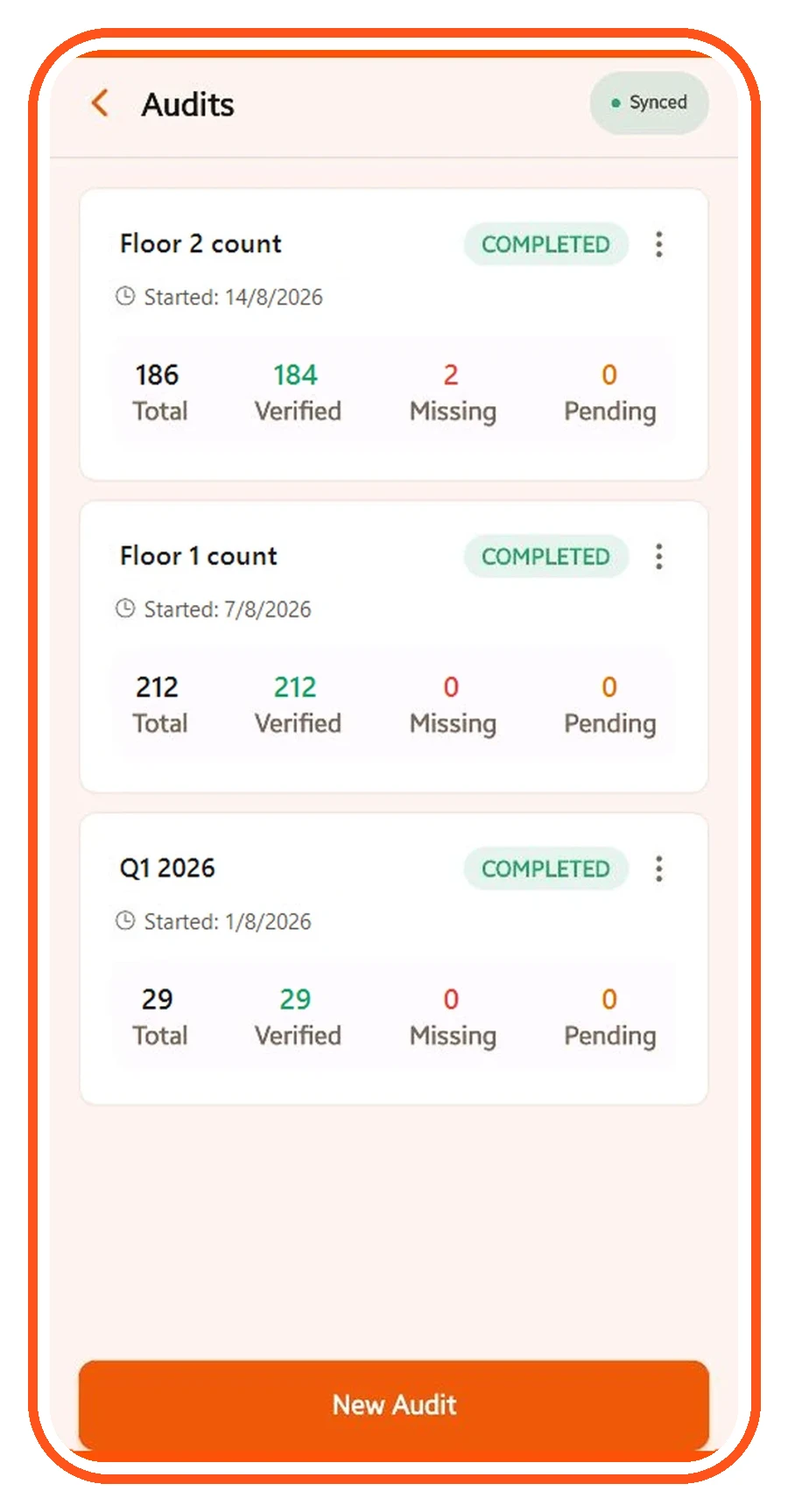
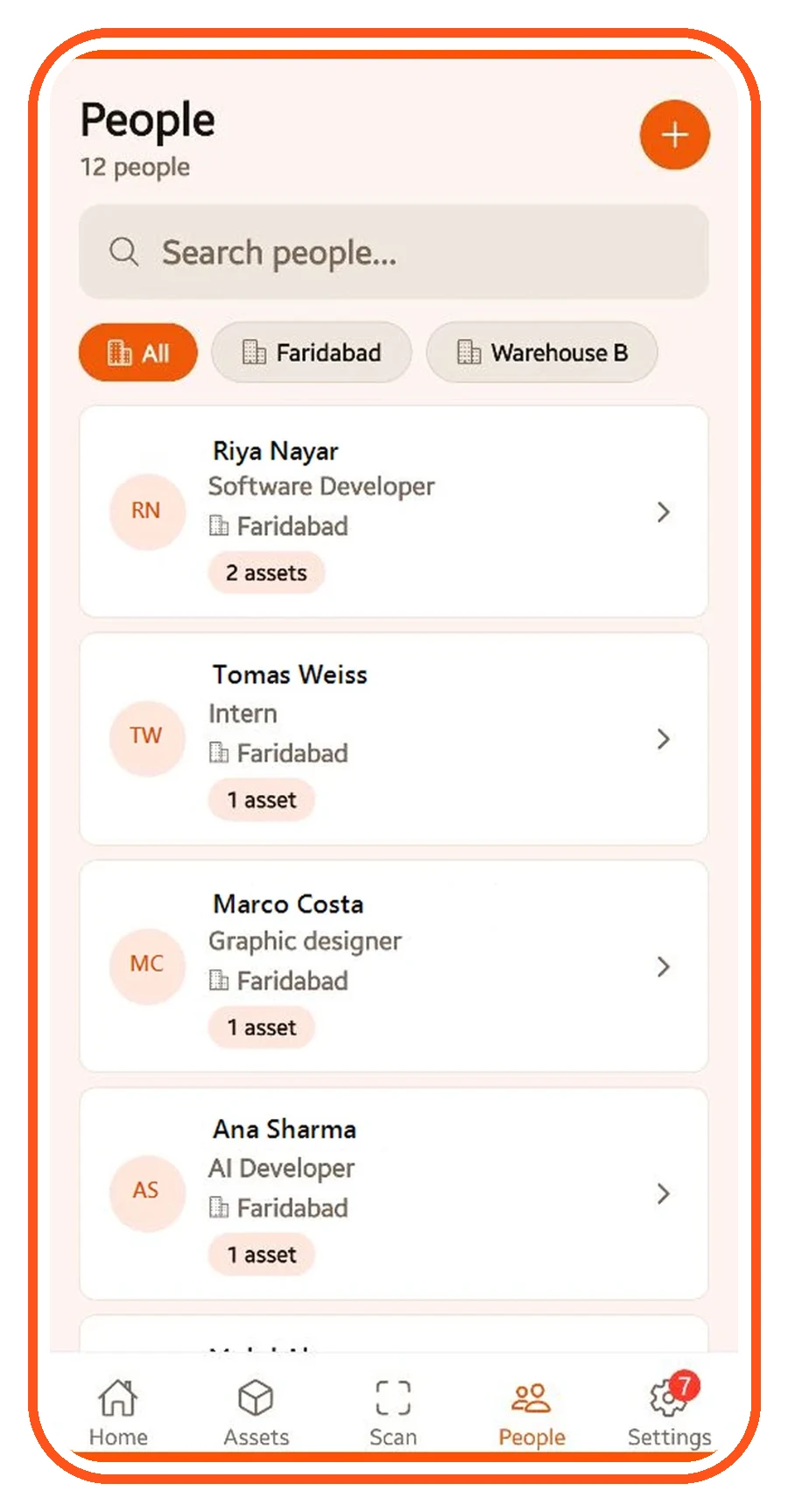
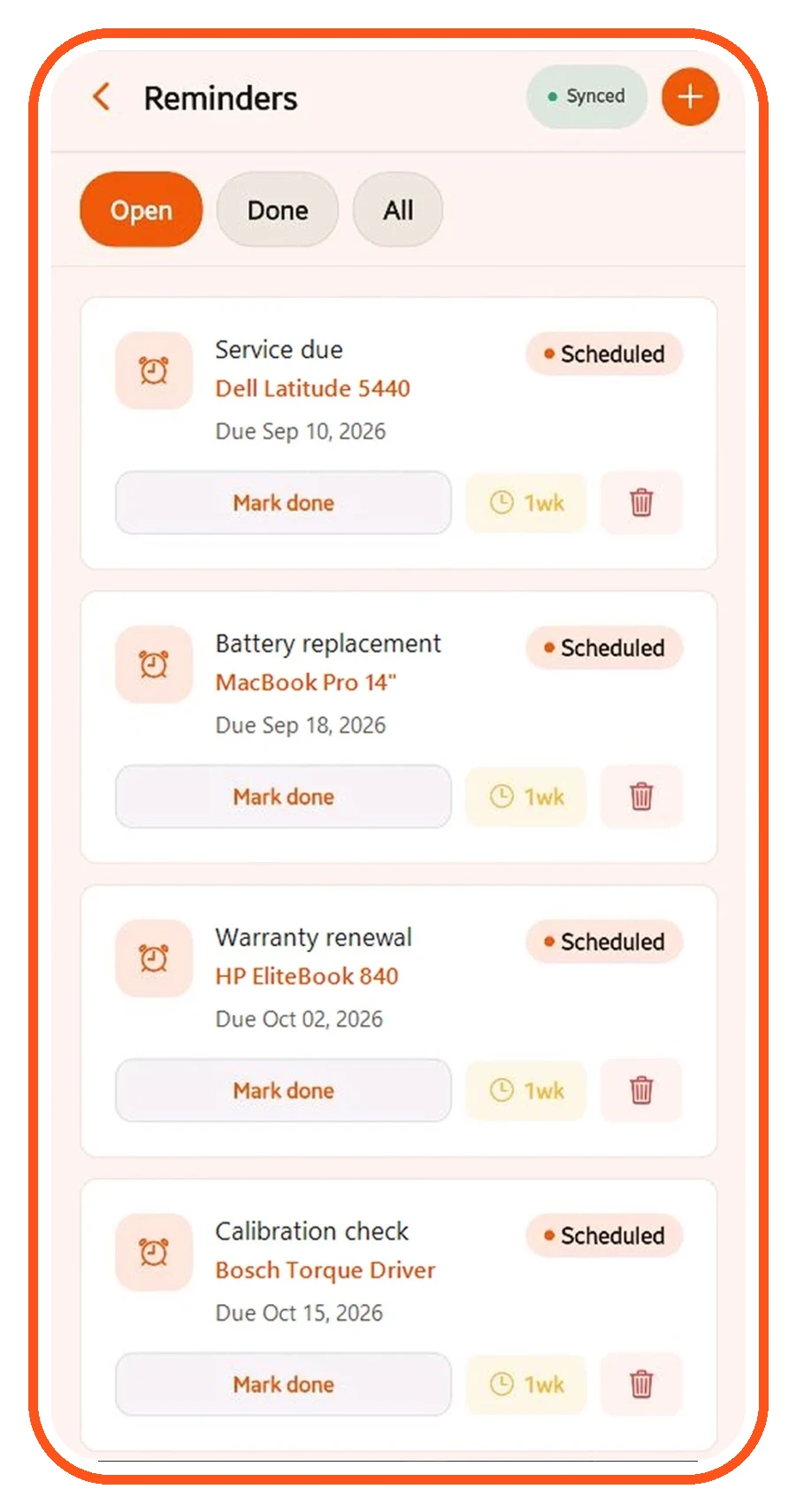
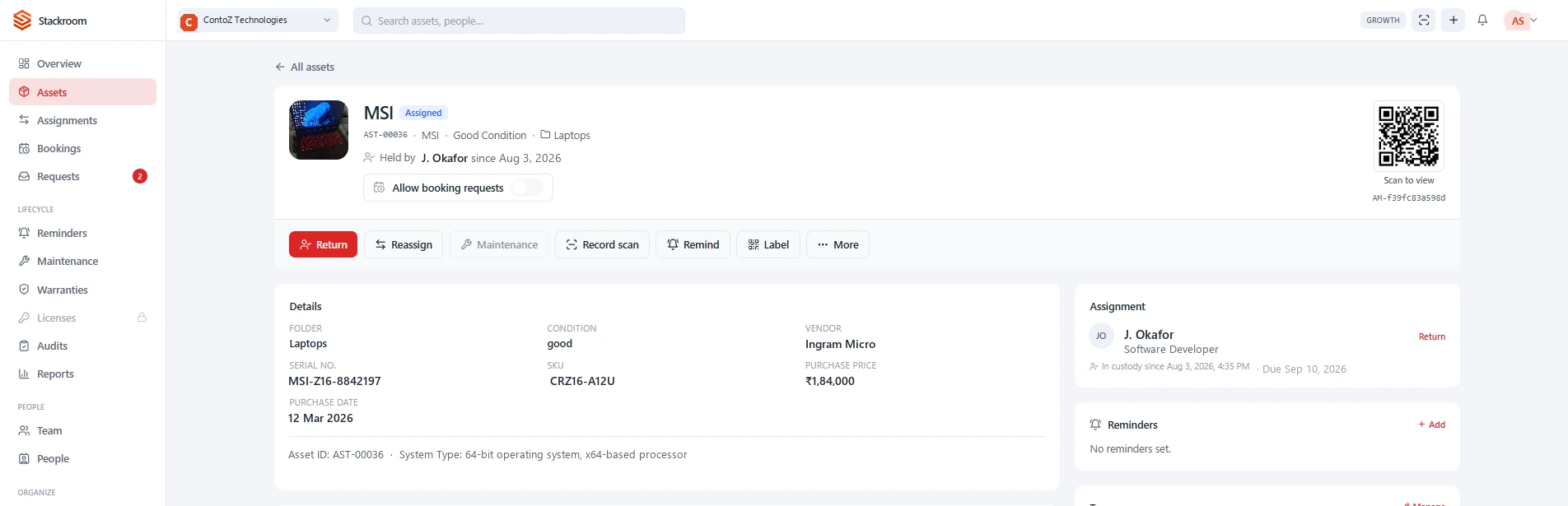
In detail
The flow end to end
04The build
Key features
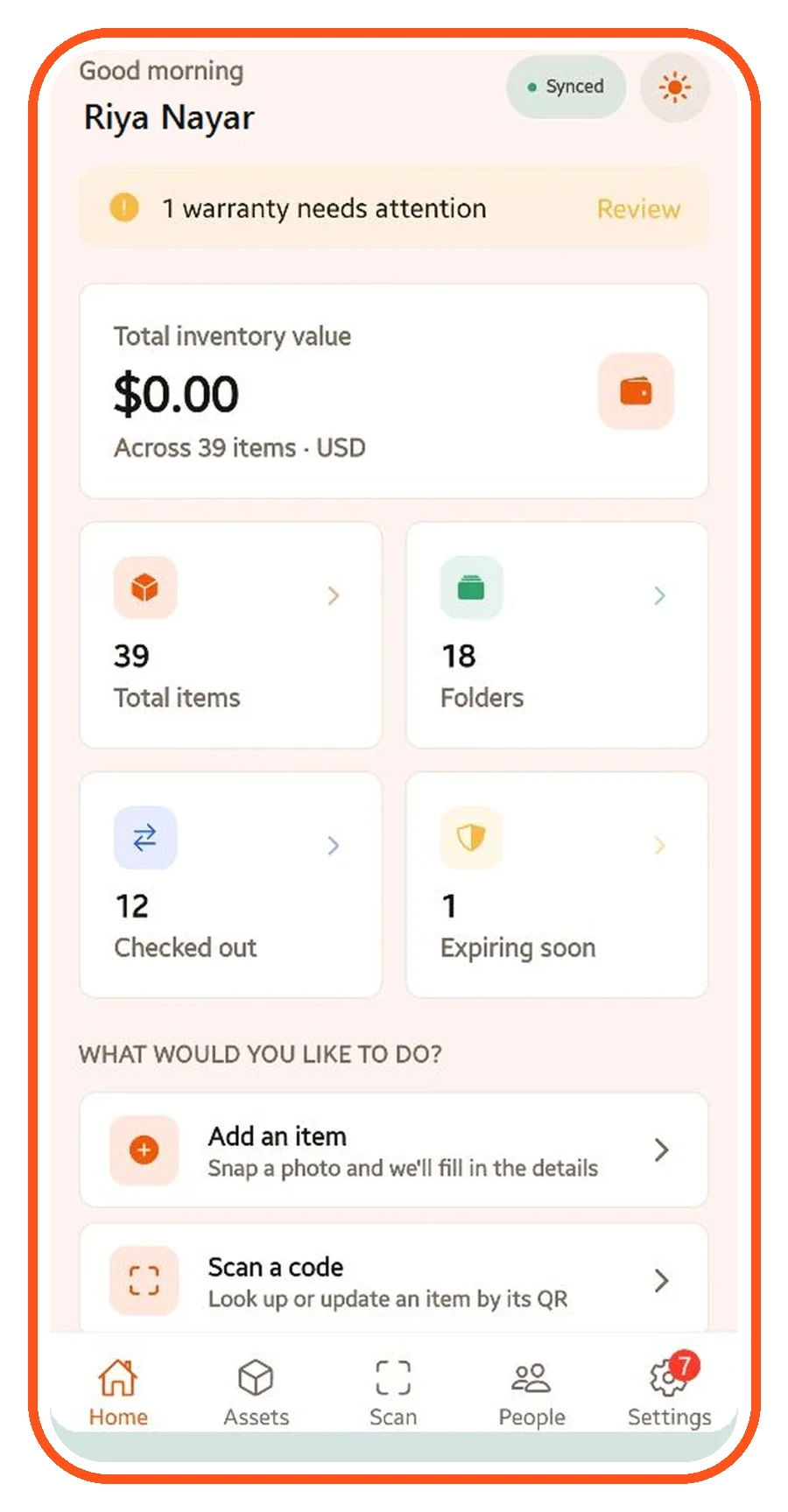
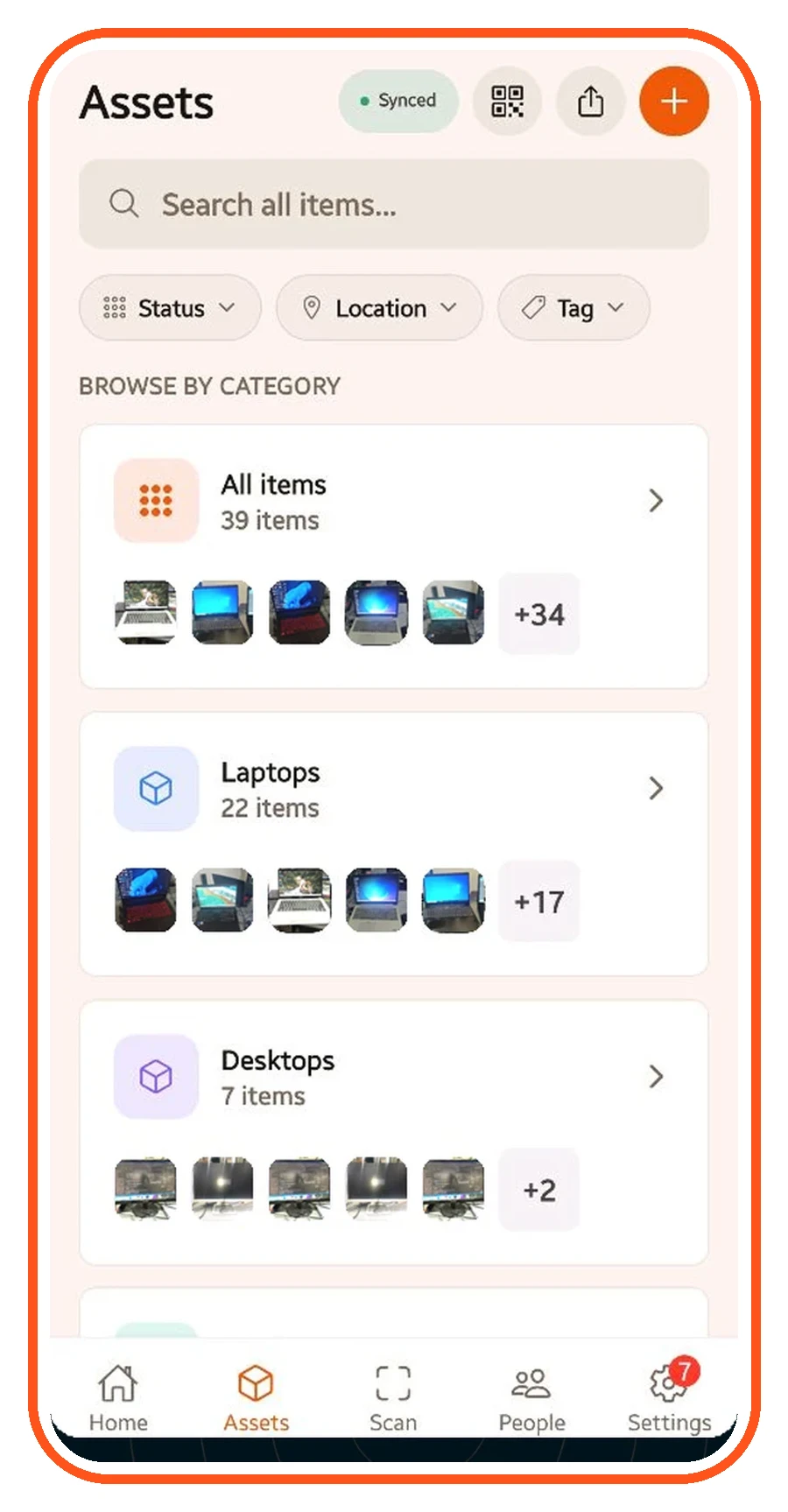
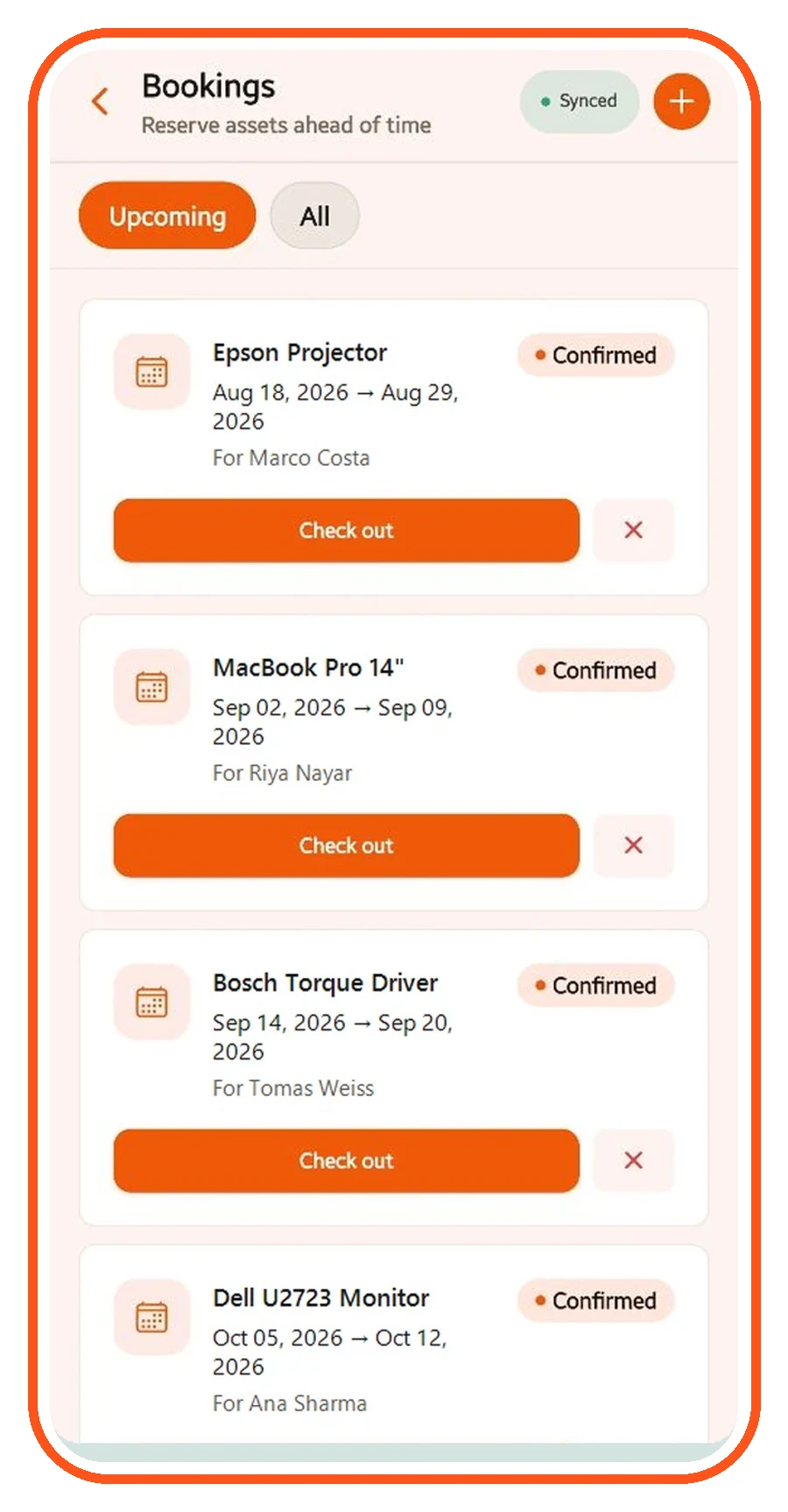
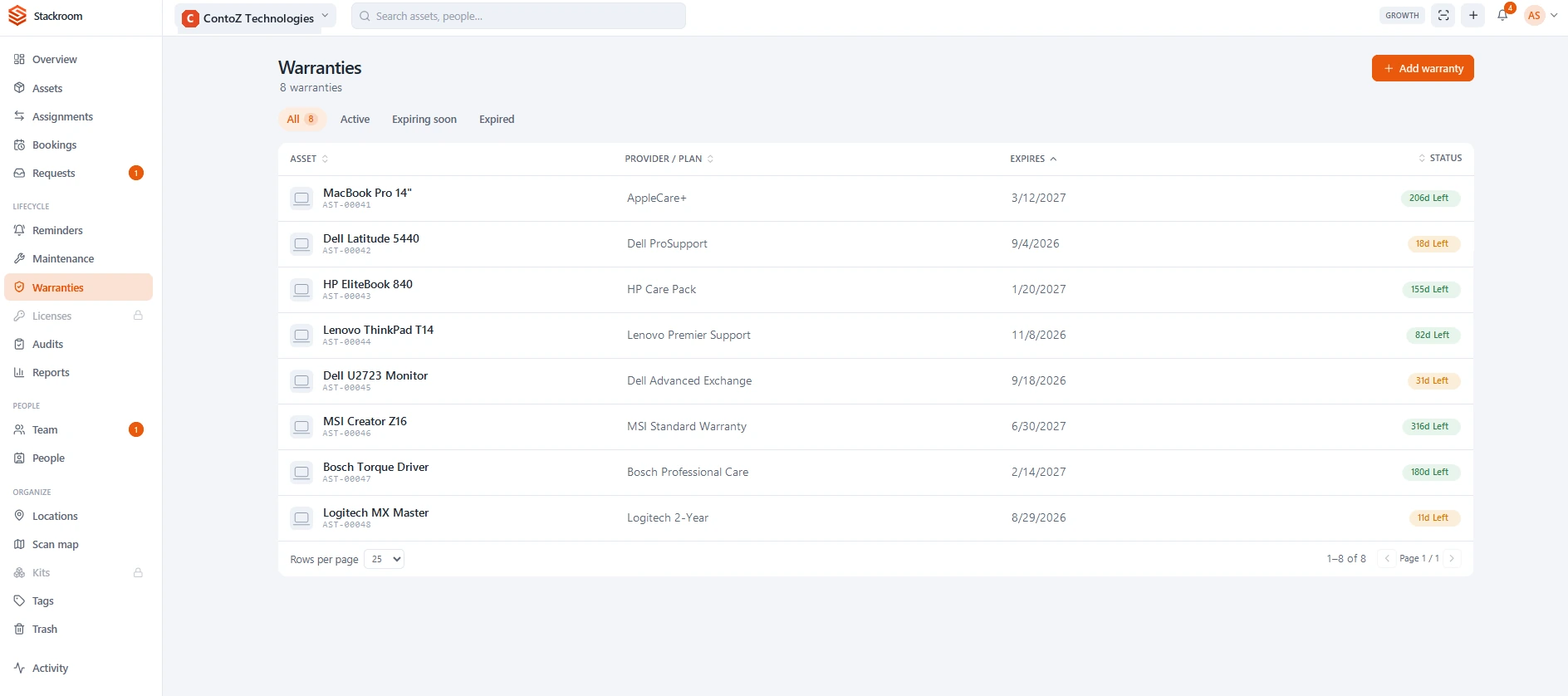
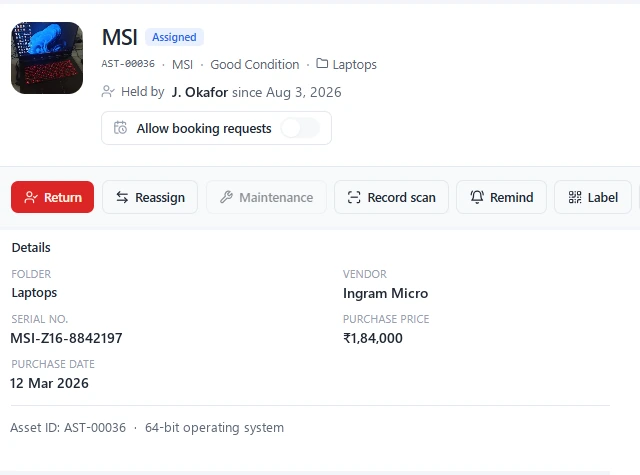
Every stage of an asset's life is a scan rather than a form — and the AI layer answers from the same register, so what it tells you is your own data.
05The stack
Tech and integrations
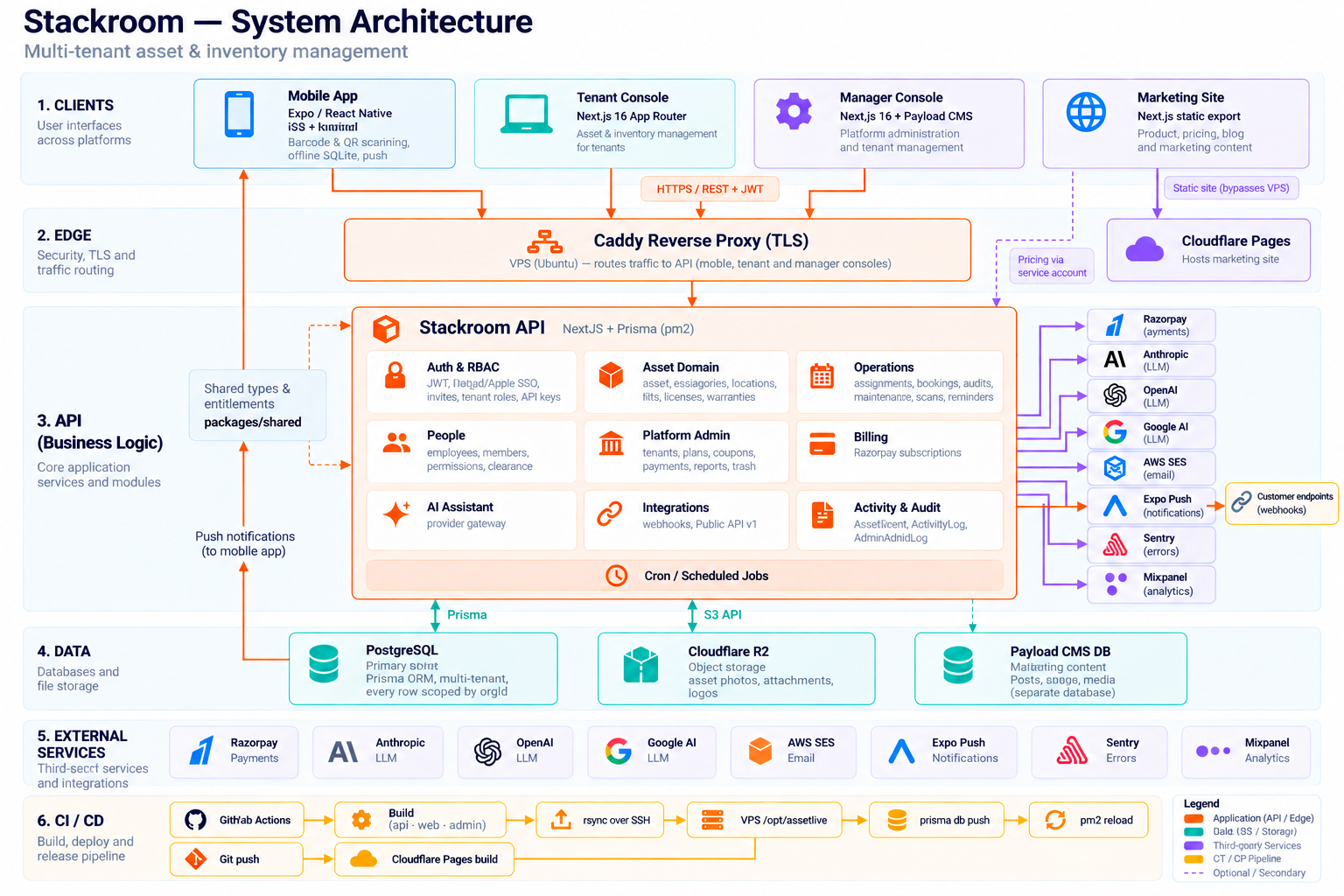
StackRoom runs on the stack VOCSO uses for production enterprise systems: a typed application layer, the database the client’s IT team already supports, encrypted storage for documents and asset photos, and an AI layer that stays inside the tenant.
Key technical capabilities:
- Offline-first mobile sync with conflict-safe replay on reconnect
- In-app QR and barcode label generation, printable in sheets
- Camera-based scanning on stock consumer devices
- Natural-language query layer bound to the tenant’s own register
- Confirm-before-write AI actions with a full audit trail
- Semantic search across invoices, warranties and manuals
- Role-based authorisation across organisations and locations
- Shared release pipeline for web, App Store and Google Play
The same register is served to three clients, so the web application, the iOS app and the Android app never disagree about who is holding what.
Tech stack used for StackRoom Asset Tracking Platform
TypeScript
React
Next.js
Node.js
React Native
PostgreSQL
Python
FastAPI
Tailwind CSS
Redux
React Query
OpenAI
AWS
iOS
Android
App Store
Google Play
SaaS
Responsive
TypeScript
React
Next.js
Node.js
React Native
PostgreSQL
Python
FastAPI
Tailwind CSS
Redux
React Query
OpenAI
AWS
iOS
Android
App Store
Google Play
SaaS
Responsive
TypeScript
React
Next.js
Node.js
React Native
PostgreSQL
Python
FastAPI
Tailwind CSS
Redux
React Query
OpenAI
AWS
iOS
Android
App Store
Google Play
SaaS
Responsive
TypeScript
React
Next.js
Node.js
React Native
PostgreSQL
Python
FastAPI
Tailwind CSS
Redux
React Query
OpenAI
AWS
iOS
Android
App Store
Google Play
SaaS
Responsive

We now have a clear view of our equipment, who has it, and where it is — without relying on spreadsheets and manual follow-ups.
06Capabilities
07Questions
Questions about this project
01What kind of equipment is StackRoom for?
Anything an organisation hands to a person and wants back: laptops, phones, monitors and docks, hand and power tools, test and network gear, cameras, medical and gym equipment, and vehicles. If it is worth knowing who has it, it can carry a label.
02Does it need special scanners or proprietary tags?
No. StackRoom generates QR code and barcode labels inside the app and prints them one at a time or a sheet at a time on an ordinary printer. Scanning uses the camera on the phone the team already carries.
03What does the AI assistant actually do?
It answers questions in plain words from the organisation's own asset register — who has a given laptop, what is checked out to a named person, which warranties expire this month, what is booked next week. It can also act: check an asset in or out, book equipment, set a reminder, change a status or move an asset. Nothing is written until the user confirms it.
04Does it work without a signal?
Yes. Assets stay viewable offline and changes upload the next time the app reaches the network, which matters because plant rooms, stores and job sites are exactly where the scanning happens and the signal is worst.
05Can we bring our existing spreadsheet in?
Yes. The register imports from CSV, so an existing asset list goes in on day one rather than being retyped, and exports back out to CSV or PDF for finance and audit.
06Is it priced per user?
No. Pricing is flat per organisation rather than per seat, so inviting the whole team does not change the bill — which is what keeps the register complete instead of partially adopted.