Custom WordPress plugins, WooCommerce extensions and integrations from a team building since 2009


VOCSO is a WordPress plugin development company building custom plugins, WooCommerce extensions and API integrations for businesses that have outgrown off-the-shelf plugins. Simple plugins take a few weeks and complex integrations a few months, on fixed-scope or dedicated-developer terms. Proof: our Floxypay WooCommerce plugin accepts payments in 10+ cryptocurrencies.
 Reviewed by Deepak Chauhan, Founder & CEOLast updated













Custom WordPress plugins, WooCommerce extensions and integrations from a team building since 2009

Plugins built from scratch for features no existing plugin covers, from custom booking logic to data sync with your back-office systems.

Creating specialized post types to organize content uniquely and efficiently on your website.
Extending or fixing existing plugins through their hooks, or forking safely when a vendor plugin is abandoned or insecure.

Responsive WordPress websites built around your brand, with the custom plugins and post types your content needs.

Auditing plugin load, queries and assets to cut page load times and pass Core Web Vitals.

Membership platforms with paywalls, subscriptions and gated content, built as custom plugins or on proven membership plugins.

Developing specific hooks to extend and modify the core functionality of your WordPress site.












 Dedicated Plugin Developers
Full-time WordPress and PHP developers who work on your plugin roadmap, billed monthly for 160 hours.
 160 Hours of full time No Hidden costs Monthly Billing Dedicated account manager Seamless communication Transparent tracking & reporting
 Fixed Cost
Best for a defined plugin with a clear specification: agreed scope, milestones and a fixed price, with documentation and handover at the end.
Budget predictability Well-defined scope Cost efficiency Milestone-based progress Quality assurance Transparent reporting Seamless communication Time & Resources Based (Pay As You Go)
Pay only for the hours spent on plugin fixes, compatibility updates, audits and small features, with weekly tracking.
Flexible billing Agile adaptability Efficient resource use Transparency Ongoing communication No fixed commitment Transparent tracking & reportingNot sure which model fits your plugin?
Schedule a call











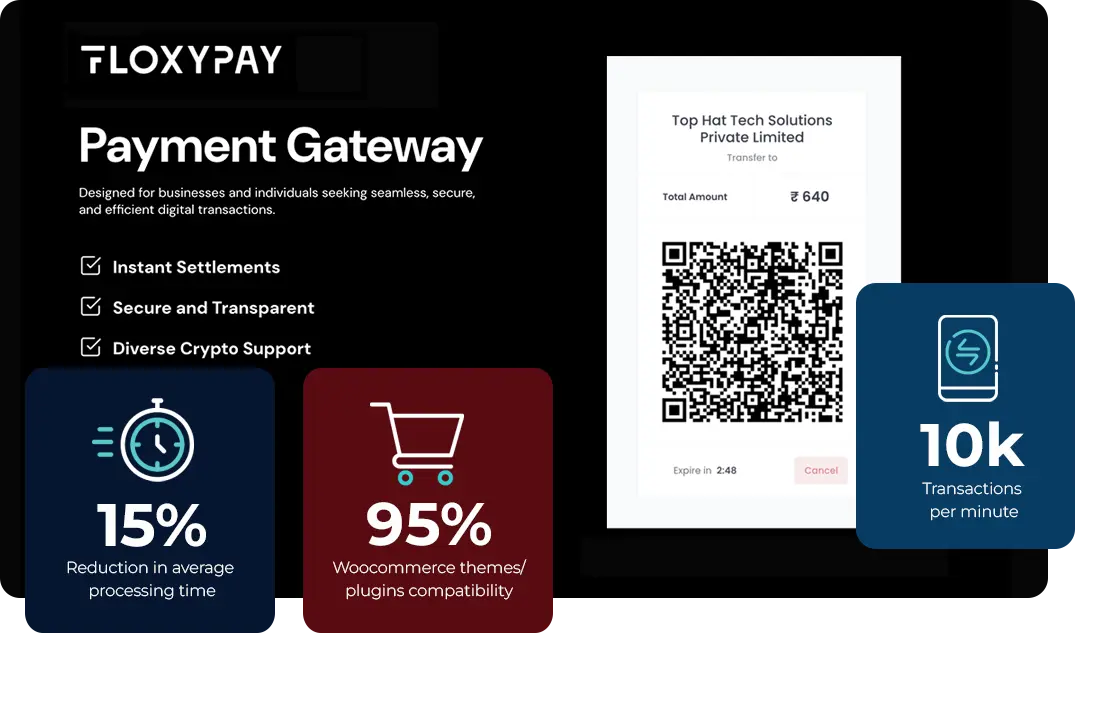

VOCSO built the Floxypay payment plugin for WooCommerce with PHP, JavaScript, the WooCommerce and WordPress APIs and the Floxypay REST API. It lets WooCommerce stores accept payments in 10+ cryptocurrencies, including Bitcoin and Ethereum, and fits the standard WooCommerce order flow, so notifications, order statuses and transaction history work without extra configuration. It works as a native checkout gateway beside Razorpay and cash on delivery, with no redirect, and shows a rate-locked payment QR that re-quotes after three minutes.



This plugin integrates with an inventory management platform called RetailEdge, to sync product information into woocommerce at scheduled intervals. In addition it also syncs back the new order data to Retailedge for consistent inventory.


The Auto Reviews plugin, integrating OpenAI's capabilities, offers a versatile solution for automated review generation across various content types on your website. It's designed to work seamlessly with both standard post types and custom post types, making it an adaptable tool for a wide range of websites. Whether you're running a blog, an e-commerce site, or a service platform, this plugin can automatically generate and attach natural looking relevant, AI-crafted reviews alongwith human name, star ratings to your posts. This feature enriches your content, enhances user engagement, and provides valuable insights, all while saving time and resources in content creation.
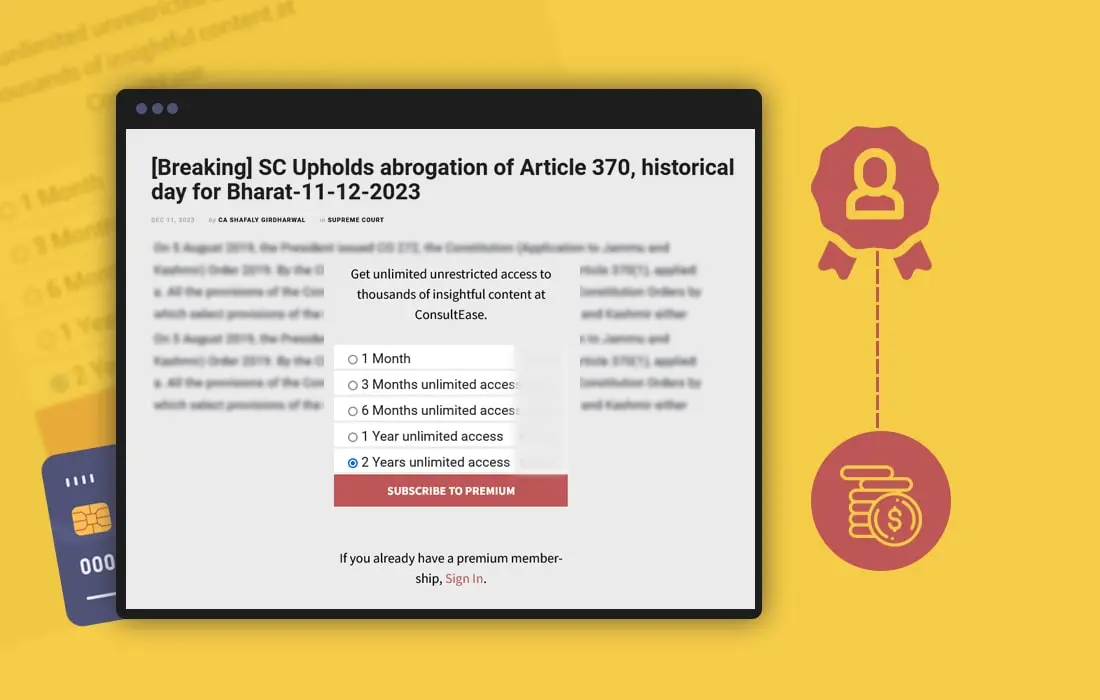

The Membership Paywall Plugin is a powerful tool for websites looking to monetize content and engage audiences more deeply. This plugin enables site owners to prompt becoming a paid member after a few seconds of reading, and blocks further reading. Ideal for various content types, including articles, videos, and tutorials, it offers a flexible way to generate revenue directly from website traffic.
The plugin integrates seamlessly with existing WordPress sites, providing a user-friendly interface for both site administrators and visitors.
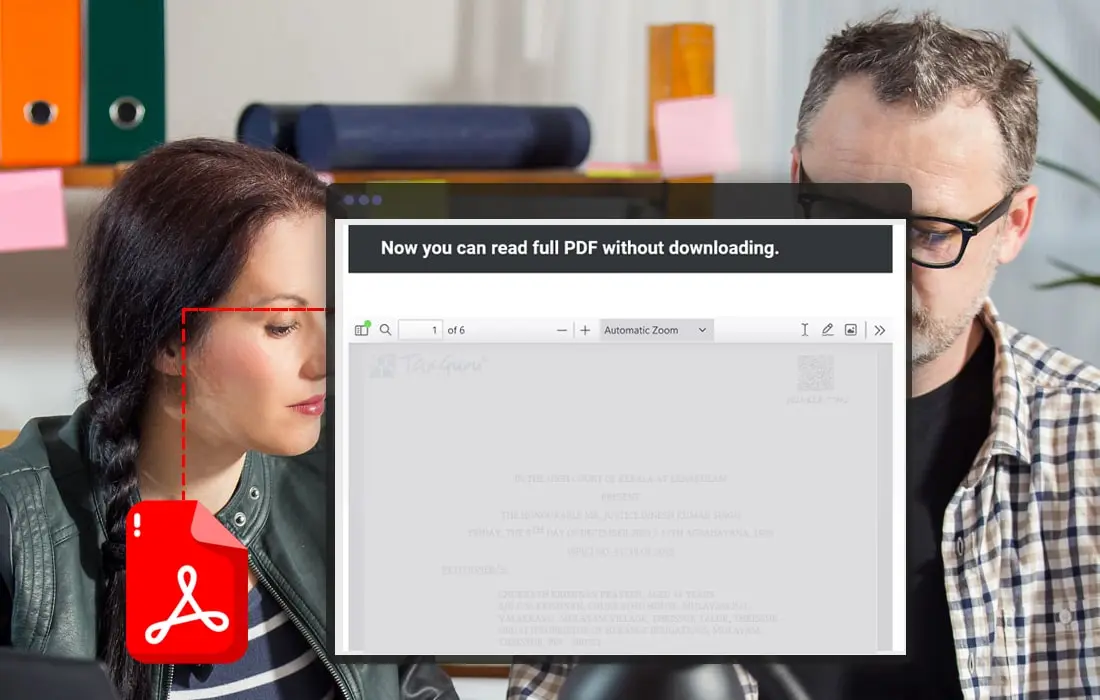
It automatically embeds PDF files within your pages or posts, allowing visitors to view documents directly on your site without needing to download them when it detects a PDF link in the post.
This feature enhances user experience by providing immediate access to important content like reports, brochures, or product catalogs, and keeps users engaged on your site longer

"Vocso team has really creative folks and is very co-operative to implement client project expectations. MicroSave Consulting had great experience working with Anju and Prem."

"Working with Deepak and his team at Vocso is always a pleasure. They employ talented staff and deliver professional quality work every time."


"We love how our website turned out! Thank you so much VOCSO Digital Agency for all your hard work and dedication. It was such a pleasure working with the team!"

"It was an amazing experience working with the VOCSO team. They were all so creative, innovative, and helpful! The finished product is great as well - I couldn't have done it without them"

"I want to take a min and talk about Deepak and Vocso team.We have outsourced web projects to many offshore companies but found Deepak understands the web content management and culture of US based firm and delivered the project with in time/budget . Also in terms of quality of product exceeds then anything else on which we work on offshore association I would recommend them for any web projects."

"Hi would like to appreciate & thanks Deepak & Manoj for the assistance any one thats look in to get web design They are very efficient people who can convert a little opportunity to fruitful association."


Understand your requirements and agree on commercials.

Based on thorough discussion and strategy

Add functionalities with plugins and customization

Make your website business ready

Perform complete quality checks and go live
Let's find out the right resources for you
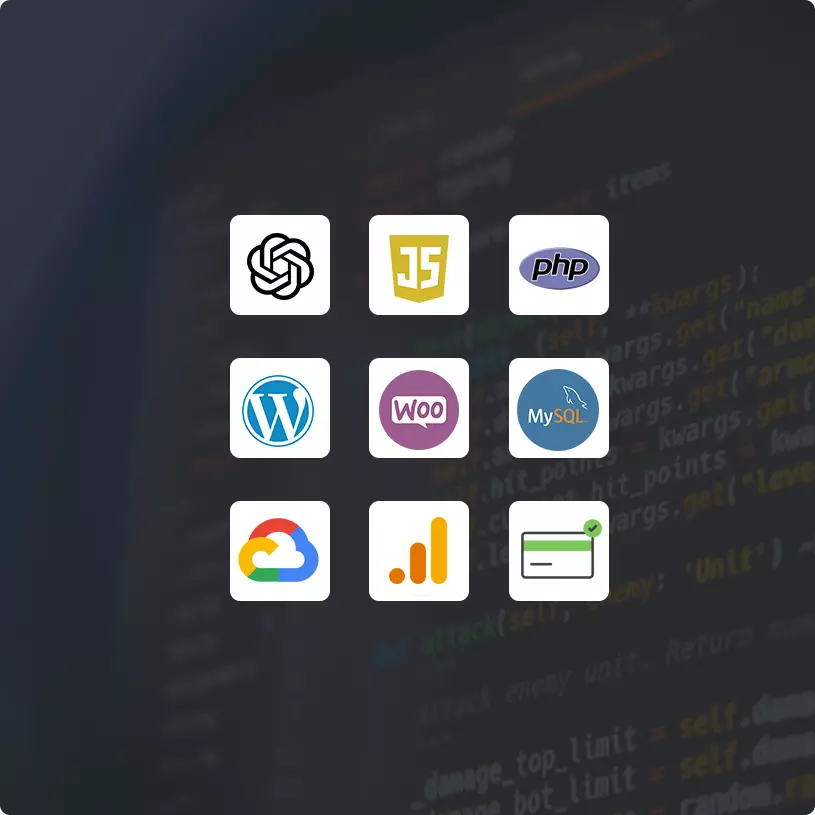
Schedule a callThe plugin architecture involves a strategic organization of PHP scripts, assets like JavaScript and CSS, and possibly additional data files. Key components include the main plugin file, which contains metadata and initialization code, and hook functions that interact with WordPress's core features.
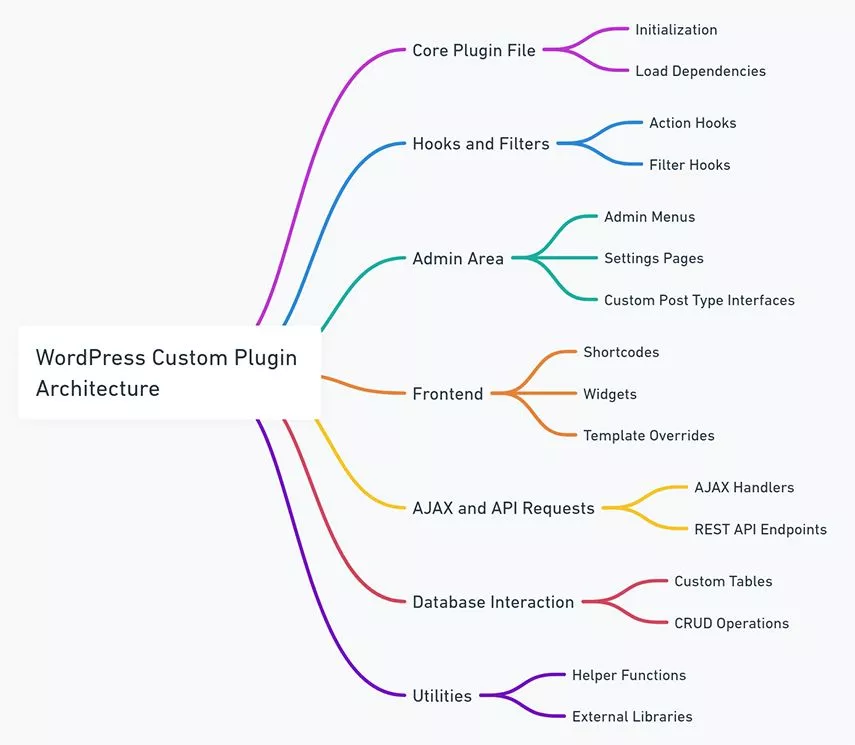
WordPress hooks and filters are key to customizing the functionality of WordPress. We use hooks (comprising actions and filters ), to 'hook into' the WordPress core and alter its default behavior without modifying the core files. This approach is crucial for creating tailored experiences for clients, whether it's modifying admin functionalities, adjusting content display, or integrating new features.
Utilizing these hooks effectively requires a deep understanding of the WordPress core, ensuring that customizations are both seamless and upgrade-proof.
Most custom plugins exist to connect WordPress to something else: a payment gateway, an inventory or ERP system, a CRM, a social feed or an AI API. We build these integrations against the provider's official API, store credentials outside the database where possible, and run long or scheduled syncs through WP-Cron or a real server cron with retries and logging, so a slow third-party API never blocks a page load.
Examples from our own work: the Floxypay WooCommerce plugin talks to the Floxypay REST API to take crypto payments, and a RetailEdge plugin syncs products into WooCommerce on a schedule and sends new orders back for consistent inventory.
In custom WP plugins, crafting a user-friendly settings panel and interface is important for ensuring a positive user experience. These are some of the areas, which we primarily focus on:
Intuitive Design: The layout should be straightforward, guiding users naturally through settings without confusion, wherever possible use wordpress’s default styling.
Clear Labeling: Every option and button should be clearly labeled, explaining its function succinctly.
Responsive Design: The UI should be responsive, ensuring usability across various devices and screen sizes.
Helpful Tooltips: Incorporating tooltips or help icons can provide users with additional guidance as needed.
Customizable Options: Offering a degree of customization can greatly enhance user satisfaction, allowing them to tailor the plugin to their specific needs.
Consistent Styling with WordPress: The design should blend seamlessly with the WordPress dashboard to maintain a cohesive look and feel.
Developers focusing on these aspects in custom WP plugin development can significantly improve the user experience, making plugins not only functional but also a pleasure to use.
A plugin runs with full access to your site, so security is part of the build, not a later audit. Every plugin we write follows the WordPress coding standards and these rules:
Sanitise input, escape output: every request value is sanitised, and everything printed is escaped for its context.
Nonces and capabilities: forms and AJAX actions check a nonce and the current user's capability.
Prepared queries: database access goes through $wpdb->prepare or the WordPress APIs, never raw string SQL.
Load only what is needed: scripts and styles are enqueued only on the screens that use them, and expensive queries are cached.
Upgrade-safe: no edits to core or third-party plugin files; changes go through hooks, so updates stay routine.
If an existing plugin stack is slowing your site, our WordPress speed optimization services start with a plugin-by-plugin performance audit.
Cost follows scope: the number of features and settings screens, external APIs, WooCommerce involvement, and whether the plugin is for your own site or for public release on the WordPress.org directory.
Minimum engagement: our projects start at $10,000.
Larger builds: custom platforms that combine plugins with site or application work typically run $30,000 to $150,000.
Dedicated developers: monthly billing for 160 hours when you have an ongoing plugin roadmap.
Time and materials: hourly billing for fixes, compatibility updates and small features.
For a ballpark on a wider WordPress project, try the WordPress website cost calculator, or request a free quote with your plugin requirements.
You delivered exactly what you said you would in exactly the budget and in exactly the timeline.








 Transparency on every decision Talented Team of AI Engineers Smooth Collaboration & Reporting Efficient & Adaptive Workflow Strict Privacy Assurance with NDA 12 Months Free Post-Launch Support On-time Delivery, No Surprises ISO 27001 Certified Engineering
WordPress plugin development services cover the design, build, testing and maintenance of plugins that add features to a WordPress site. At VOCSO that includes custom plugins built from scratch, WooCommerce extensions and payment gateways, third-party API integrations, custom post types and taxonomies, admin settings screens, and the customisation or rescue of existing plugins. Every project starts with a specification and architecture plan, runs on a staging server under version control, and ends with testing, deployment and documentation. We can also prepare a plugin for submission to the WordPress.org directory and maintain it through future WordPress and PHP releases.
Hire a plugin development company when no existing plugin does what you need, or when you are stacking several plugins to approximate one feature. Each extra plugin adds code, database queries and update risk, and generic plugins rarely fit a specific business process or integration. A custom plugin does one job, loads only what it needs and is maintained against your site. If a well-supported plugin already covers 90% of the requirement, we will say so and extend it through its hooks instead, which is usually the cheaper option. VOCSO has delivered 600+ projects since 2009, many of them on WordPress and WooCommerce.
Our minimum engagement is $10,000, and larger custom builds that combine plugins with site or platform work typically run $30,000 to $150,000. The price of a plugin depends on the number of features and settings screens, the external APIs it calls, how deeply it touches WooCommerce, and whether it must be prepared for public release. After reviewing your requirements we give a fixed quote for a defined plugin. For ongoing work you can hire dedicated developers on monthly billing for 160 hours, or pay hourly for fixes and compatibility updates. Our WordPress website cost calculator helps size a wider project.
A simple plugin usually takes a few weeks; complex plugins with external integrations or WooCommerce payment flows can take several weeks to a few months. The timeline depends on how clear the specification is, how many external systems are involved and how much testing the plugin needs across themes and other plugins. We agree milestones up front: discovery and proposal, architecture planning, environment setup, development, then testing and deployment. A clear specification and early access to any third-party API sandbox are the two things that shorten a plugin project most.
Yes, if it is built and maintained properly, although no developer can guarantee compatibility with releases that do not exist yet. We reduce the risk by using WordPress APIs and hooks instead of editing core or third-party files, following the WordPress coding standards, and testing against current WordPress and PHP versions before release. After launch, a maintenance plan or time-and-materials support covers compatibility updates when WordPress, WooCommerce or PHP change. Our website maintenance packages can include plugin updates, backups and monitoring.
Yes. WooCommerce extensions are a large share of our plugin work: payment gateways, inventory and order syncs, product data imports, custom checkout fields and reporting. For Floxypay we built a WooCommerce payment plugin that accepts 10+ cryptocurrencies and fits the standard WooCommerce order flow, so notifications, order statuses and transaction history work without extra configuration. Another plugin syncs products from the RetailEdge inventory platform into WooCommerce on a schedule and sends new orders back. Each gateway is tested alongside other payment plugins so shoppers can still choose how to pay.
Yes. We integrate WordPress with payment providers, CRMs, ERPs, inventory systems, marketing tools, social platforms and AI APIs such as OpenAI. Integrations use the provider's official API, keep credentials out of the code, and run slow or scheduled work in the background with retries and logging, so a third-party outage never blocks page loads. Where WordPress needs to expose its own data to another system, we add custom REST API endpoints with authentication. For integrations that outgrow WordPress, our custom API development team builds a separate service.
Yes. We regularly take over plugins written by other developers or agencies, as well as vendor plugins that need changes. We start with a code review covering security issues, performance, coding-standard gaps and compatibility with your WordPress and PHP versions, then recommend whether to fix, extend or rebuild. Changes to third-party plugins go through their hooks or a maintained child extension, so vendor updates do not wipe your customisations. If a plugin is abandoned or insecure, we can replace it with a custom plugin and migrate its data.

Certified, partnered and independently rated





 Enhanced Website Functionality
 Customized User Experience
 Easy Third-party Integrations
 Improved User Experience
 Automation